Open Trading Parameters for the pair and look for the minimum amount movement. A sell quantity has to be a whole number of those steps, but your Spot balance is tracked to 0.00000001. Whatever sits below one full step at the end of the balance cannot go out in a normal sell order.
Nothing is wrong with the account. The leftover coins stay in Spot and still count toward your estimated balance; they just cannot form a valid order. Binance's answer for clearing them is Small Amount Exchange. First, the arithmetic of where the dust comes from.
Why can't I sell the full balance? What the Help Center says
The Binance Help Center article Binance Spot Trading Limits and Parameters (English page shown as updated 2026-01-06) has a section titled “Why can't I sell the full balance of my tokens?”. Its example is BNB/USDT: the minimum amount movement is 0.001 BNB, while the smallest amount of BNB you can hold is 0.00000001 BNB, so “you may not be able to completely sell your tokens in an order.” The same paragraph points to converting the remaining balance to BNB.
On 2026-10-19 Binance's public exchange information endpoint still listed a stepSize of 0.001 for BNB/USDT under the LOT_SIZE filter. The Help Center calls it minimum amount movement; the API calls it stepSize. Same number.
Where the dust comes from: the buy fee is taken in the coin you receive
Most dust is created by the buy. The Help Center article How to Calculate Binance Spot Trading Fees? states that “trading fees are always charged in the asset you receive”: buy ETH/USDC and the fee is in ETH, sell it and the fee is in USDC. The filled quantity is a clean multiple of the step. What lands in your account after the fee often is not.
Pair ETH/USDT. Public API on 2026-10-19: step 0.0001 ETH, minimum quantity 0.0001 ETH, minimum order value 5 USDT, best ask 2,436.25, best bid 2,436.24. The fee rate is the 0.1% used in the Help Center's own example; yours may differ.
- Limit buy 0.0500 ETH. The row in Trade History shows a filled quantity of 0.0500 ETH, about 121.81 USDT.
- Fee on that row: 0.0500 × 0.1% = 0.00005 ETH, with ETH in the fee asset column.
- ETH actually added to Spot: 0.0500 − 0.00005 = 0.04995 ETH.
- A sell must be a multiple of 0.0001, so the most you can enter is 0.0499 ETH.
- After that sell, 0.00005 ETH remains, roughly 0.12 USDT at the best bid.
The gap between steps 2 and 3 is the dust. The fee article also notes that the estimated fee on the trading page is for reference only; the actual fee shows up in the final amount you receive. To check it, read the fee column in Trade History. If one order filled in several trades, each trade took its own fee, and the tail of your balance is the sum of those. Matching several trades back to one order is covered in order history vs trade history.
Where to find a pair's minimum amount movement
The path given in the Help Center: on the website, open the spot trading page, click the settings icon, scroll down and click [Trading Parameters]. [View More] takes you to the full Trading Parameters page, where you can search any pair. In the app, tap [Trade] → [Spot], then [...] and [Trading Parameters].
The same panel lists the minimum quantity and the minimum order value. Those two decide whether the dust can be sold by itself.
Why a sell order for the dust alone is still rejected
The 0.00005 ETH from the example fails two checks at once. The ETH/USDT minimum quantity is 0.0001 ETH, so the dust is not even one step. The minimum order value is 5 USDT, and about 0.12 USDT is far short. Even a leftover that happened to be a whole number of steps would still be refused while it is worth less than 5 USDT.
How each of those rules shows up as an error, and how to work out a valid quantity before typing it, is in minimum order value, step size and tick size. If the balance looks big enough but the order says insufficient balance, check whether an open order is holding those coins: why your available balance is lower.
Small Amount Exchange: dust under 20 USDT, once an hour
The Help Center article How to Convert Small Account Balance to BNB, BTC, ETH, USDT, USDC, U and BFUSD? (English page shown as updated 2026-08-05) opens with the rule: dust valued below 20 USDT can be converted to BNB, BTC, ETH, USDT and USDC once every 1 hour. The title also names U and BFUSD while that sentence lists five coins, so check which targets the drop-down actually offers when you open the page.
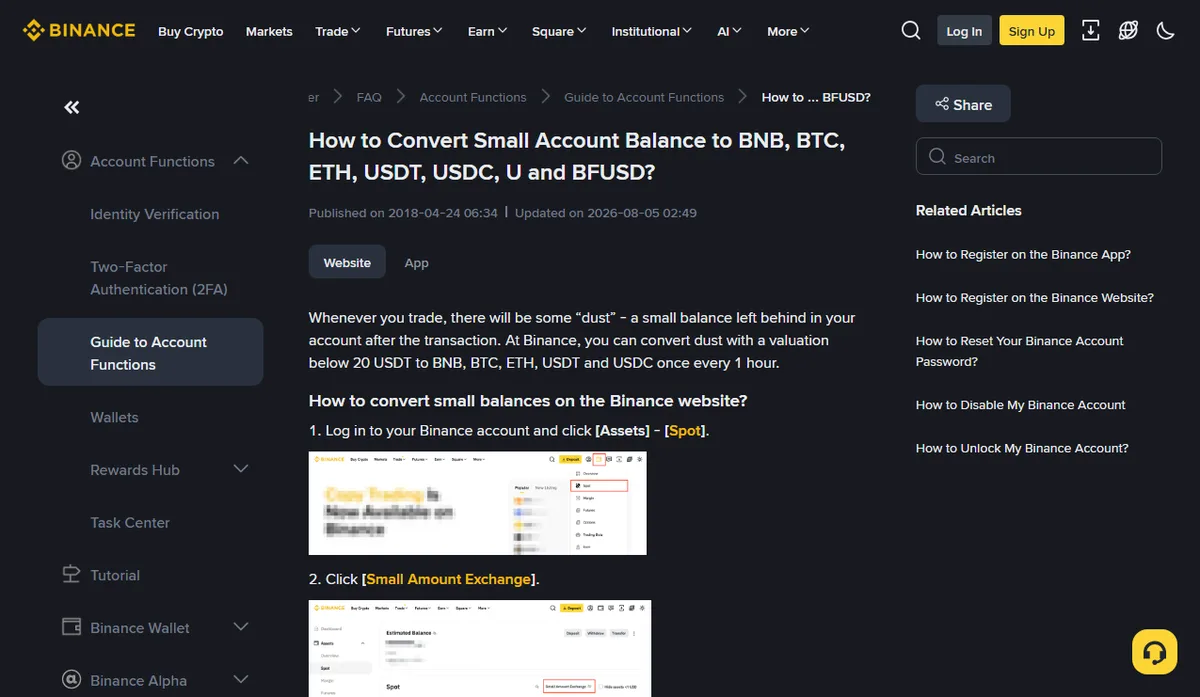
On the website, the steps are:
- Log in and click [Assets] → [Spot].
- Click [Small Amount Exchange].
- Choose the target coin, tick the assets you want to convert, and click [Convert].
- Check the conversion details and click [Confirm]. The target coin is credited to your Spot Account.
- To see the result later, click [History] on the Small Amount Exchange page.
In the app it is [Assets] → [Spot] → [Small Amount Exchange]; the rest matches, and history sits behind the icon at the top right.
Before you press [Confirm], these limits are worth a look. They are the article's figures as captured in October 2026; if the [Small Amount Exchange] preview shows a different fee or threshold, the preview is what applies to your conversion:
- A flat 2% fee applies, 10% for Alpha tokens. On the roughly 0.12 USDT of dust in the example, 2% comes to about 0.0024 USDT.
- The amount on the preview page is an estimate. The conversion runs at the market price when you click [Confirm], and it will not proceed if the price moves 5% or more during the process.
- Unlisted or delisted tokens cannot be converted, and neither can an asset worth less than 0.00000001 of the target coin.
- It works for dust in the Spot, Funding and Alpha wallets, and you can tick as many assets as you like in one go.
If a coin is missing from the list, the article says Binance does not currently support converting it and suggests contacting customer service. The page also lets you set the display limit for the list (the article mentions 5, 10 and 20 USDT equivalents). With a low limit, slightly larger dust simply does not appear, so check that setting before assuming a coin is unsupported.
Buy a little more and sell a round amount? That buy pays a fee too
The other idea is to top up the balance to a whole number of steps and sell it all. Run the example forward. The 5 USDT minimum at an ask of 2,436.25 means buying at least 0.0021 ETH. That buy also loses 0.1% in ETH, 0.0000021, so 0.0020979 arrives. Add the old 0.00005 and you hold 0.0021479 ETH. You can sell 0.0021, and 0.0000479 is left over again.
As long as the fee comes out of the coin you buy, topping up rarely lands on a round number, and it costs a fee on both the extra buy and the sell. When that is how the dust formed, Small Amount Exchange is the shorter route. A few cents of dust can also just stay where it is; it does not get in the way of other orders.
Next time you want a sell to leave as little as possible, round the available balance down to the step before you type it: 0.04995 becomes 0.0499, not 0.0500. Rounding up asks for more than the 0.04995 you actually hold.